Ecommerce Website Design: How to Create a Store That Sells

Hey you!
We are back with another bang. This time, it's e-comm.
While we are still talking, probably one of you could be window-shopping on that new online store. It's true that more people are choosing to shop online, discover new brands, and make purchases with just a few clicks.
This shift has opened a huge opportunity for businesses to build an online presence and start selling digitally.
Whether you’re a small business owner looking to go online or an entrepreneur with a new idea, having an ecommerce website is no longer optional-it’s essential. But knowing where to begin can feel overwhelming - this is where professional ecommerce website design services like Headstartt can help turn your idea into a high-converting online store.
The Big Ask - How do you turn an idea into a fully functional online store that not only looks good but also drives real sales?
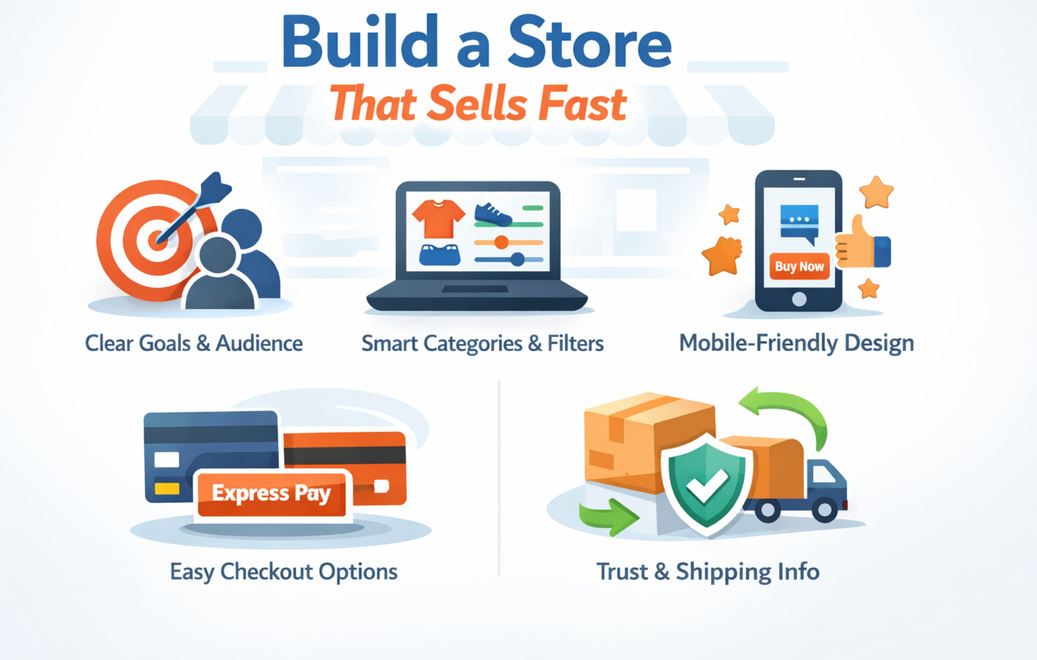
Build a store that sells by nailing five things fast. Set clear goals and audience, Create intuitive categories with smart filters, Design mobile-first pages with strong CTAs and social proof, Make checkout frictionless with guest and express payments and Give transparent shipping, returns, and trust signals at every step.
Strategic Foundations: Product-Market Fit, Audience, and Goals
Strong stores start with sharp focus. Define who the offer serves, why it’s better, and what a win looks like. People buy because the product solves a felt problem and the buying process feels easy.
Information Architecture for ecommerce: Categories, Navigation, Search
Plan Category Taxonomy and Faceted Navigation
Use a clean, hierarchical taxonomy that mirrors how customers naturally shop. Keep category names simple, avoid jargon, and structure facets by the decisions people actually make. Filters like size, colour, price, brand, and availability work well. Too many filters create noise, too few create frustration.
Optimize On-Site Search and Filtering
Prominent search helps when product counts grow. Surface quick results with thumbnails, price, and ratings. Tie filters to URL parameters so sharing and indexing work. People love speed here. Instant feedback, clear chips to remove filters, and defaults that feel smart.
UX and UI Principles That Drive Conversions
First-Impression Design and Visual Hierarchy
Make your value proposition, main CTA, and trust signals visible right away. Use a clear visual hierarchy and enough spacing so visitors can quickly understand what matters and what to do next.
Mobile-First Design and Tap Targets
Design with mobile users in mind. Large buttons, simple layouts, sticky CTAs, and fast-loading images create a smoother shopping experience and reduce friction.
Accessibility and Performance Best Practices
Use readable contrast, descriptive alt text, and keyboard-friendly navigation. Pair this with fast load times and optimized assets to keep your site quick, usable, and trustworthy.
Homepage, Category, and Product Pages That Sell
Category Pages: Merchandising, Filters, and Sorting
Give a brief category intro, then let products do the talking. Put popular filters up front and add sorting that matches common intents like price, newest, and top rated.
Product Pages: Images, Copy, Pricing, and CTAs
Use large, crisp images from multiple angles, with zoom and video when it helps. Write a copy that answers questions and handles objections. Place a high-contrast, above-the-fold Add to Cart button with breathing room. Add delivery estimates, stock cues, and relevant cross-sells. Ratings and structured reviews add trust and can unlock rich results in search when marked up correctly.
Checkout Optimization: Payments, Shipping, and Transparency
Shipping Rates, Delivery Dates, and Returns
Show accurate shipping costs, delivery windows, and return policies before payment. People hate surprises. Clarity at the right moment preserves momentum and trust.
Form Design, Error Handling, and Trust Badges
Use plain labels, clear inline errors, and visible security cues. Logos for known payment methods and concise notes about encryption help nervous shoppers finish the job.
Content and Social Proof That Build Trust
Product Reviews, Ratings, and Q&A
Encourage customers to leave honest reviews, ideally with photos or short videos, and include a Q&A section that answers common questions. Real feedback from real customers builds confidence and helps shoppers feel comfortable making a purchase..
UGC, Influencers, and Social Integration
Feature user-generated photos and videos that show your products in everyday use. Connect your store with platforms like Instagram and Facebook where your audience already spends time. Influencer collaborations work best when they feel natural and aligned with your brand, not forced promotions
Guarantees, Policies, and Store Badges
Clearly explain your guarantees, return policy, and customer support details in simple language. Make these easy to find in the footer and checkout. Visible security and trust badges reassure shoppers and remove last-minute doubts
Build a High-Converting E-commerce Store with Headstartt
At Headstartt, we design and build ecommerce websites that don’t just look good, they’re built to convert. From strategic UX and mobile-first design to SEO-ready structures and conversion-focused checkout flows, we help brands create online stores that attract the right audience and turn visits into sales.
Whether you’re launching a new store or optimizing an existing one, our team combines design, performance, and growth strategy to build ecommerce experiences that scale.
Request a quote today and let’s build an ecommerce store that truly sells.